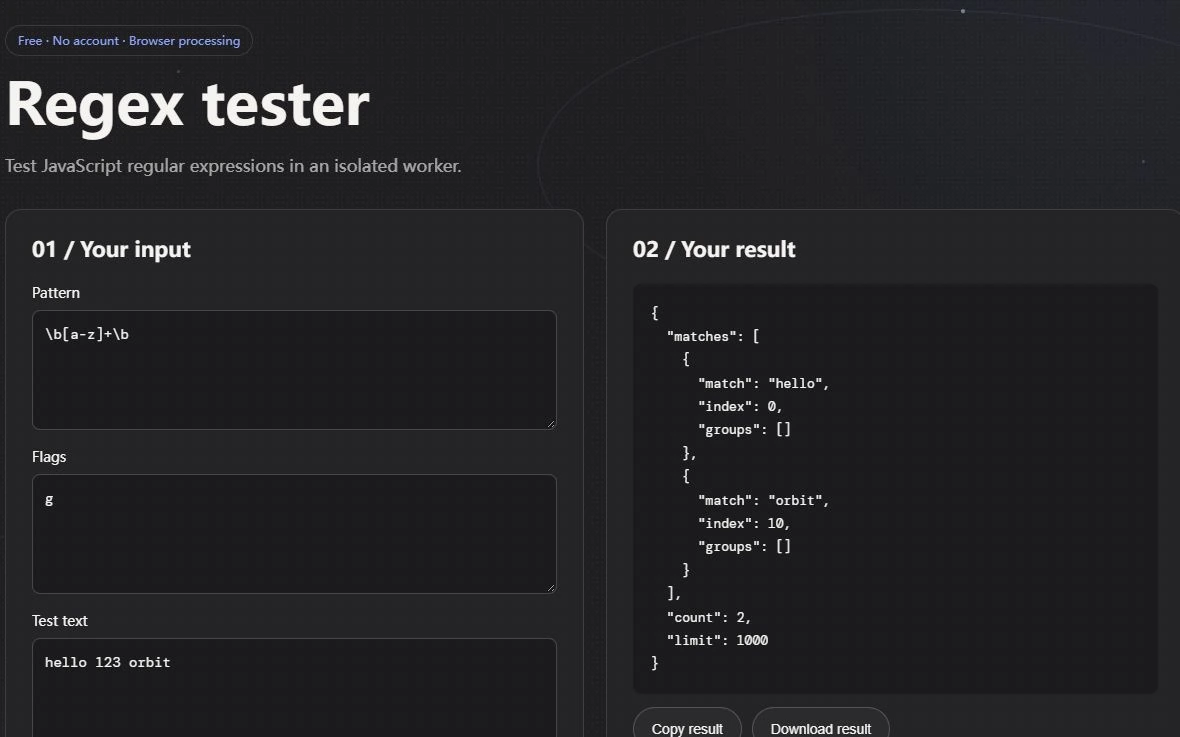
Enter a pattern, not a slash-delimited literal
Regex Tester runs the browser's JavaScript regular expression engine. Put ^INV-[0-9]{4}$ in the pattern field and put flags in the separate flags field. Do not surround the pattern with slash characters as you would in a JavaScript literal. The text field is passed as pattern text to the constructor; adding literal delimiters changes what it attempts to match. This tool has no PCRE, Python or other flavor selector.
Use INV-2048 as the first input and expect a match. Change it to inv-2048 and compare the result with and without i. Next try INV-20480, which should not satisfy the four-digit rule. These are independent cases: a flag chosen to accept lowercase should not accidentally weaken the length requirement. Save the pattern, flags, input and expected decision together when reporting a bug.
Test a final newline explicitly. In this JavaScript example without multiline mode, INV-2048 followed by a newline does not satisfy the anchored rule. Enabling multiline changes the result because the anchors can describe line boundaries. Other regex engines can have different end-anchor behavior. Record this case when moving a pattern between languages rather than assuming that familiar punctuation always expresses the same contract.
Multiline changes the question
Without m, the anchors describe the boundaries of the input rather than each separate line. With m, the same anchored pattern can match an eligible line within a longer input. With g, the tester collects repeated matches up to its result limit. A successful match somewhere in a block of lines does not mean every line is a valid reference. If your application needs every nonblank line checked, iterate over those lines and apply the intended whole-line rule.
Orbit runs the work in a separate worker and terminates it after roughly one second if it has not completed. The result count is bounded too. A timeout is a reason to simplify the expression or reduce the test input, not evidence that the input was invalid. The protection keeps this particular testing workflow responsive; it does not certify that the expression is efficient when transplanted into a server or a different browser. Retest with realistic input limits in the environment that will enforce the rule.
Write the rule in plain language first
A regular expression is a pattern for matching character combinations in text. Before writing one, describe the rule in ordinary language: what must appear, what may appear, how many times, and whether the entire string must match. For example, an internal reference might need to begin with INV-, followed by exactly four digits, with nothing before or after. That sentence gives you a boundary to test rather than an open-ended guess.
For that example, a JavaScript-style pattern could be ^INV-[0-9]{4}$. The start and end anchors require the whole string to match, the literal prefix keeps the pattern specific, and the count limits the digit sequence. This is a narrow illustration, not a universal validation rule for identifiers. Use the actual business requirement and allowed character set, and write down cases that should pass and fail before tuning the pattern.
Test examples and edge cases
Add one positive example for the expected form, then vary one property at a time. For the reference example, test the exact prefix, too few digits, too many digits, lowercase letters, a missing hyphen, leading spaces, and extra trailing text. Those cases reveal whether the pattern checks the whole string or finds a matching fragment somewhere inside it. A highlighted match does not automatically mean the whole input satisfies the requirement.
Also test the characters that are easy to overlook: tabs, newlines, accented letters, emoji, empty strings, and line endings if the input can contain them. The shorthand classes and flags have defined meanings, and a flag can change how anchors or dots behave. Keep the test list next to the code or a short comment. When requirements change, update both the pattern and its examples together.
Keep the pattern readable
Use the smallest expression that communicates the rule. Character classes describe allowed characters, quantifiers describe counts, groups organize parts, and anchors describe positions. Add a comment beside a complicated pattern explaining the human requirement rather than repeating the syntax in words. If the pattern becomes difficult to review, split the check into clearer steps or use a parser designed for the data format instead.
A regex is not a complete substitute for validation. It can check a format, but it does not prove that a value exists, belongs to the current user, is safe to use, or meets a system's business rules. For example, a syntactically plausible date may not be a valid date in a calendar. Validate the meaning after matching the shape, and enforce important checks on the server as well as in any user interface.
Move the tested rule into the program
Copy the pattern and flags exactly, then run the same test cases in the real runtime. Check that the application uses the intended method: test returns a Boolean, while methods such as match or exec can return captured data. Be careful with global patterns when repeatedly calling test, because the global flag changes how the regex uses its last index. The MDN reference explains flags, groups, character classes, and the methods available in JavaScript.
Save a few representative cases as repeatable checks if the pattern guards important input. Keep them small and named after the rule, such as accepts a well-formed reference or rejects an extra suffix. This makes later edits safer than relying on memory or on a screenshot from an online tester. A good pattern is not the cleverest expression; it is the one the next maintainer can explain and test.