Begin with a list whose identity is clear
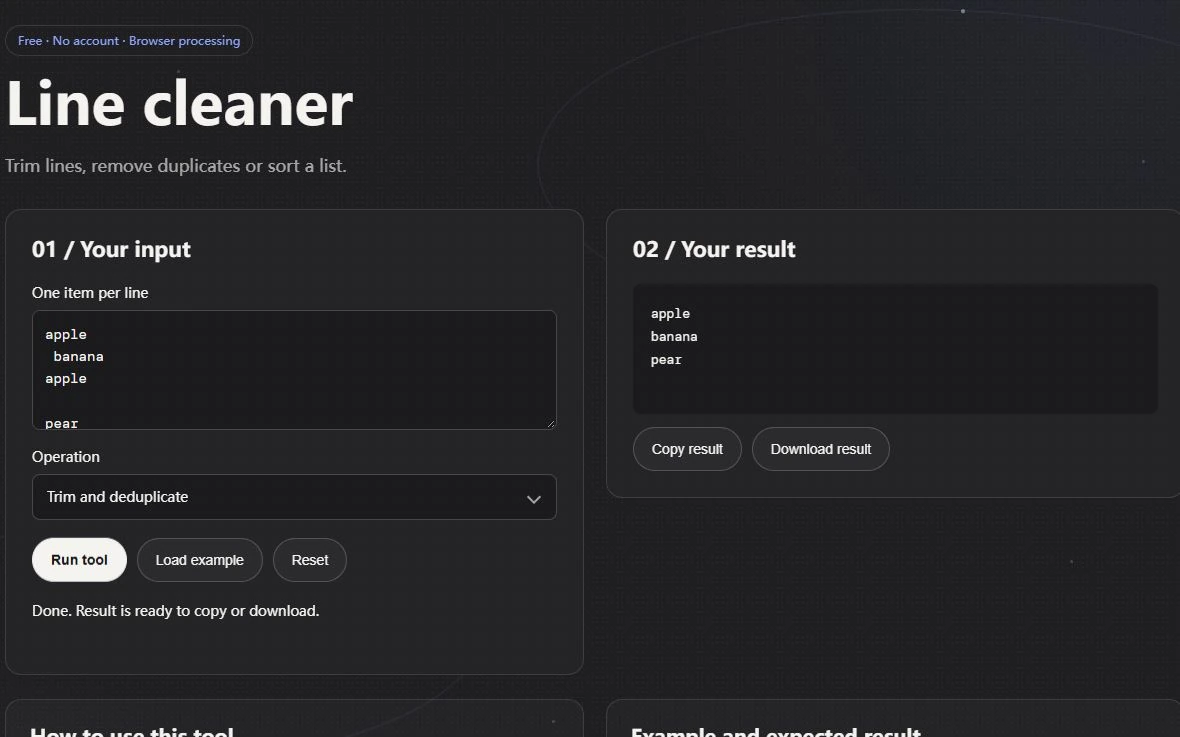
Suppose a draft contains three lines: a padded copy of Maple, another Maple and a lowercase maple. Line Cleaner trims the surrounding whitespace and removes blank lines. In Trim and deduplicate mode it preserves the first Maple and the separate maple, because deduplication is case sensitive. That result may be exactly right for product codes and wrong for a list of casual topic suggestions. Decide which kind of identity the data needs before treating every near-duplicate as redundant.
Save the raw list before running the tool. If leading spaces indicate hierarchy or a blank line separates groups, trimming and removing blank lines changes useful structure. This operation is suitable for a flat list of independent entries. It is not a general cleanup pass for Python source, a fixed-width table or poetry. A small example with intentional duplicates gives you a much clearer acceptance test than a large list whose original structure you no longer remember.
Sorting is a different operation from deduplication
The sort modes order cleaned lines using JavaScript string comparisons. They keep duplicate lines, and their order is not a language-aware dictionary order. Uppercase, lowercase, punctuation and accented characters can therefore appear in an order you would not choose for a printed index. Use this behavior for a predictable technical list, then review the destination's requirements if you need localized collation.
To both deduplicate and sort, run one operation, copy the inspected result into a fresh input and run the other. Keep the intermediate file if the transformation needs an audit trail. Do not compare only line counts: two lists with the same length can contain different entries. A one-sentence record such as trimmed outer whitespace, removed exact duplicates, then sorted ascending tells the next person what was changed and what was intentionally retained.
Replace literal text before changing capitalization
Find and Replace matches literal, case-sensitive text and replaces all occurrences. A period is a period, not a wildcard, and a bracket does not begin a regex character class. To replace a label, include enough surrounding text to avoid changing an unrelated fragment. Replacing cat everywhere in a document also changes occurrences embedded in longer words. This tool does not provide a whole-word switch or a semantic understanding of labels.
Case Converter is another mechanical transformation. Its title and sentence modes provide basic English-oriented casing rather than a style guide for names, abbreviations or scientific terms. A heading containing an intentionally lowercase brand or an acronym needs a human check after conversion. Keep the original beside the result; uppercase cannot reveal which words originally had deliberate capitals, and reversing a case operation cannot reconstruct that editorial information.
Review the changes, then interpret the counts
Text Diff compares the original and revised versions by line. Added and removed line markers help locate differences, but they do not form a complete version-control patch and do not judge whether the revision is clearer. Start by inspecting any line containing a number, a product name or a condition such as only or unless. Those are places where a mechanical replacement can alter meaning without making the sentence look obviously broken.
Word Counter splits words at whitespace, reports Unicode code points as characters and estimates reading time at 200 words per minute. It does not segment every writing system into linguistic words, count user-perceived grapheme clusters or measure comprehension. A combined emoji can occupy several code points while looking like one symbol. Use counts to compare the same kind of draft under the same convention, then read the finished document for meaning. The tools here provide no spelling corrections, grammar judgments or readability grades.
Make instructions easier to scan
For a help page or procedure, put the action near the start of the sentence. Give each step one main task, and name buttons or fields exactly as they appear on screen. Put a warning next to the step where it matters. Use headings that describe the content below them rather than relying on clever wording that hides the topic.
Break a long paragraph when it changes subject or moves from explanation to action. Use a list for a genuine set of steps or parallel options, but do not turn every sentence into a bullet. Provide a concrete example where a reader might interpret a rule in more than one way. Then ask someone unfamiliar with the page to follow it without your help; their questions reveal gaps that a formula cannot detect.
Protect drafts and finish with a human pass
Check the privacy policy of any online writing service before submitting confidential text. Drafts can contain customer names, private plans, internal links, or unpublished information. If the policy is unclear or the text is sensitive, use an approved local tool or replace private details with placeholders. This is a service-specific decision; do not assume that every checker stores or processes text in the same way.
After the tool pass, read the final document aloud or slowly from beginning to end. Verify names, dates, units, links, headings, and calls to action. Check that examples match the surrounding explanation and that no suggested edit removed a necessary condition. Ask a second person to review high-impact content. Good writing software can reduce routine review work, while a human remains responsible for truth, context, and judgment.